Attract and keep more subscribers with access tiers
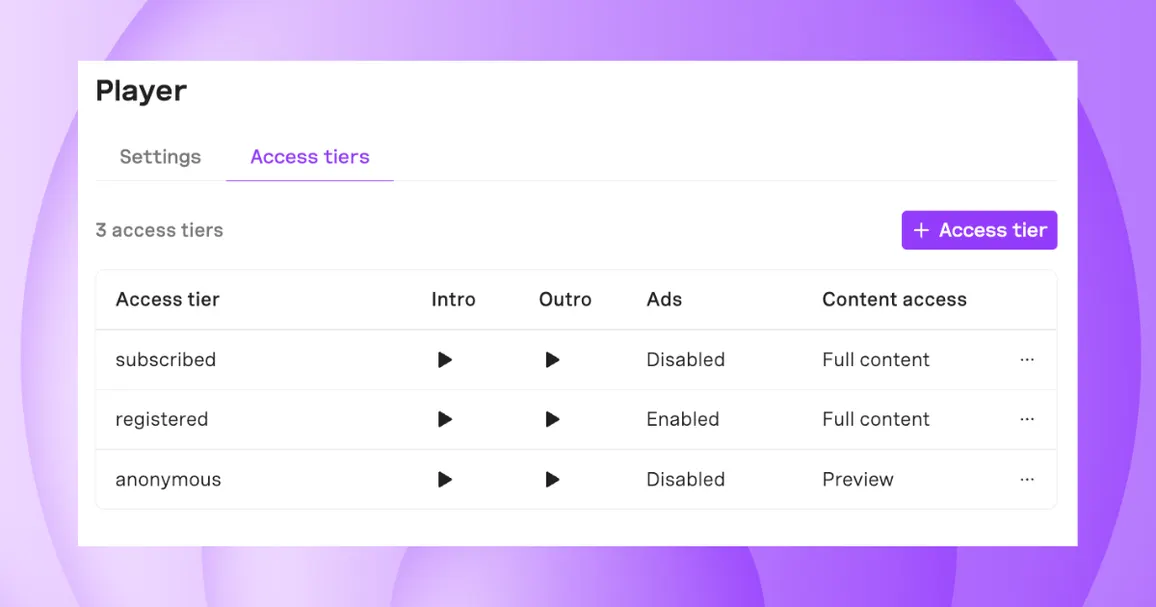
BeyondWords publishers can now use access tiers to deliver different audio experiences to anonymous visitors, registered users, and subscribers—without the need for separate player implementations.
Choose how much of each article each group can listen to, whether or not they hear ads, and which intro and outro messages they receive. Then, use analytics to track audio engagement in every tier.
This unlocks new ways to incentivize upgrades and reward your paying users.
Make audio a subscriber-only benefit
Audio can be a compelling subscriber benefit, giving users the flexibility to enjoy your journalism while commuting, exercising, or doing other things. It also encourages more frequent engagement, helping readers build habits that can strengthen loyalty over time.
With access tiers, you don’t have to hide audio behind a paywall.
Instead, you can offer anonymous users a short audio preview, giving them a chance to experience the value of listening before making a subscription decision.
When the preview ends, play a custom outro encouraging the listener to subscribe for the full audio experience. Delivered at the point where they want to keep listening, this can be a highly effective moment to drive conversions.
Here’s an example of an audio preview followed by a call-to-action:
Incentivize subscriptions with audio ads
You can also use access tiers to make audio articles available to everyone while enabling ads for non-subscribers only.
An ad-supported experience allows non-subscribers to engage more deeply with your journalism. Every listen generates advertising revenue while demonstrating the value of your audio content.
And as these users spend more time listening, an ad-free experience becomes a more compelling reason to upgrade.
To push the upgrade, serve a custom intro or outro encouraging listeners to sign up for ad-free playback. You can also use these moments to highlight other subscriber benefits or special offers.
Here’s an example of audio article with an intro message and mid-roll ad:
Get started with access tiers
If you already use BeyondWords, you can set up access tiers in minutes:
- Go to Settings → Distribution → Player → Access tiers in your project dashboard
- Click ••• alongside the access tier you want to edit
- Customize the settings for this access tier, then save your changes
- Add the accessTier parameter to your player embed code
- Repeat with all the access tiers you need
Find the full instructions in our access tiers doc.
New to BeyondWords? We'd love to show you around.
Book a demo to see how easy it is to find an AI voice that fits your brand, integrate audio into your publishing workflow, and create tailored listening experiences for every audience tier.