How immersion reading can drive deeper news engagement
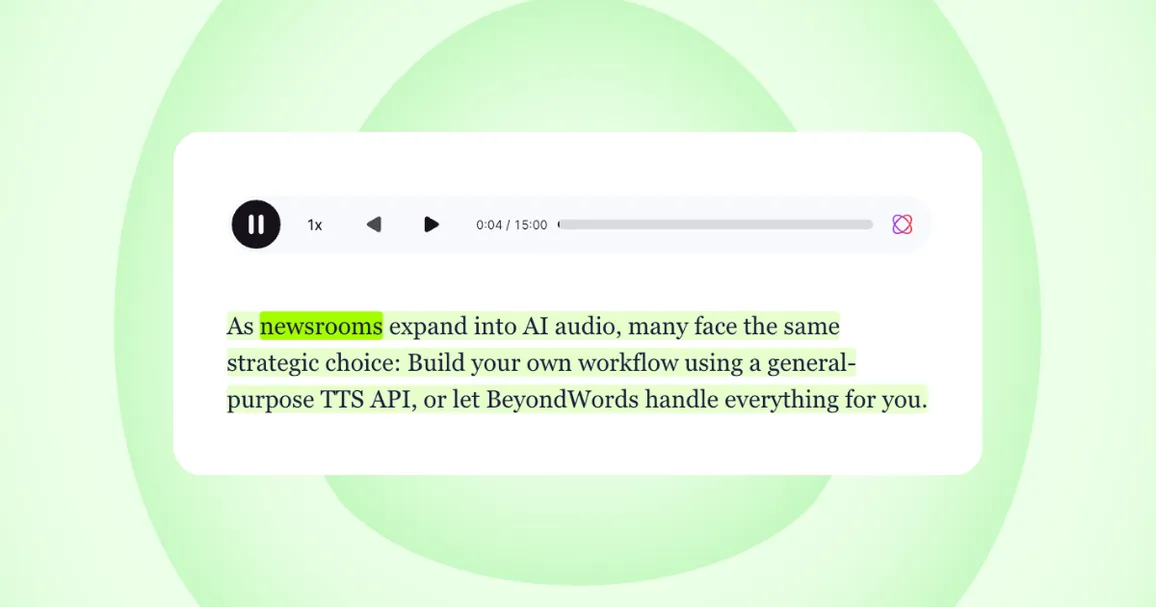
Immersion reading (or immersive reading) is the act of following along with text while listening to audio narration. In other words, synchronized reading and listening.
(You can try it out for yourself by playing this article.)
Google Trends shows interest in immersion reading has surged in recent months:
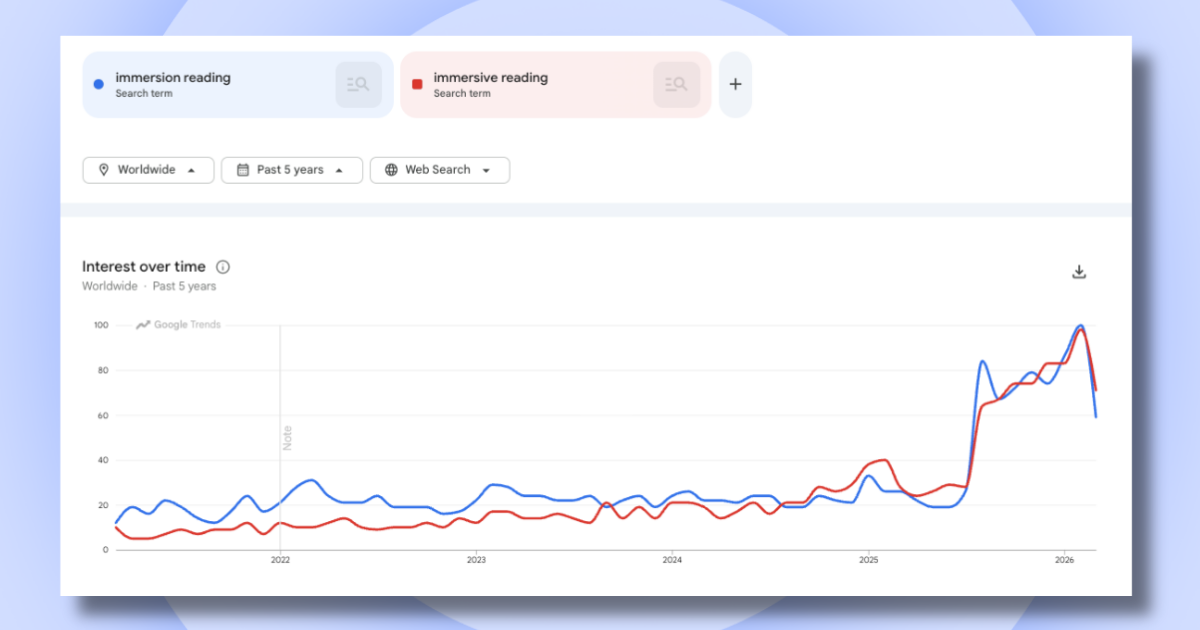
Interest peaked in February 2026 when Audible launched its Read & Listen feature, which highlights the corresponding ebook text as the audiobook plays.
Kindle has offered a similar feature for years, but this new launch pushes immersion reading further into the mainstream and makes it more accessible.
It also reflects a broader shift in how people consume content:
Audiences don’t always want to choose between reading and listening—they expect both to work seamlessly together.
Why enable immersion reading on articles?

Enabling immersion reading on articles means tapping into a behavior that’s gaining momentum and has potential to drive meaningful value for your business.
Audible says customers who read and listen simultaneously are among their most engaged users.
That’s not surprising.
Combining visual and auditory input helps people stay focused, absorb more, and move through content with less effort. Nine in ten Audible customers agree: immersion reading improves content retention and comprehension.
So, immersion readers are likely to spend longer with your journalism and get more from your stories.
Adoption is likely to emerge across several audiences, such as:
- Book lovers bringing read-and-listen habits with them
- Younger audiences accustomed to watching subtitled content
- News subscribers keen to stay more focused in a world of distractions
- Second-language readers who benefit from seeing and hearing content together
- Readers who need more accessible ways to absorb the news
- Listeners engaging with longer or more complex stories
By offering audio, text, and a read-along feature, you cater to a wide range of needs and preferences. Whether your audience is multitasking or taking time to focus, you’re giving them a way to engage that fits.
And delivering a read-listen experience is easier than you think.
How to enable immersion reading on articles
BeyondWords makes it simple for publishers to enable immersion reading on their websites and apps.
Our platform automatically turns articles into audio, embeds a player alongside the text, and highlights each word as it’s spoken—so users can read along as they listen.
Setup takes minutes. Create a project, embed the player script, and you’re ready to go.
You can tailor the immersion reading experience to match your publication’s style, with customizable word and paragraph highlight colors for light and dark modes, as well as flexible player styling.
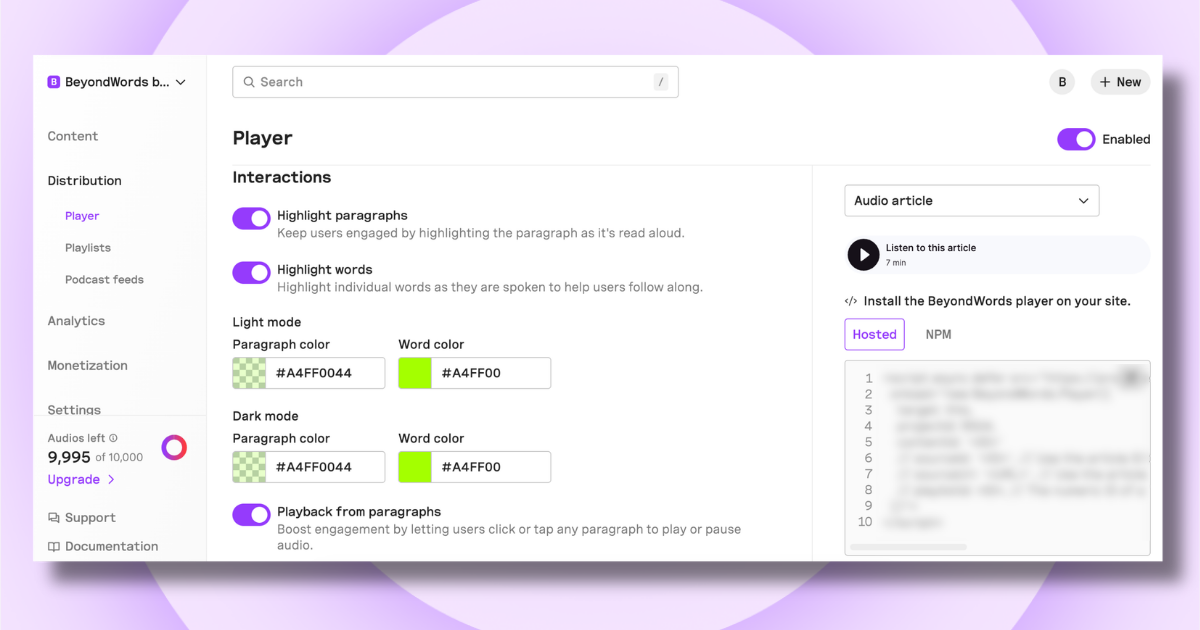
BeyondWords also makes it easy for readers to control playback. Click-to-play lets users start listening from any paragraph, while a sticky player keeps controls accessible as they scroll down the page.
Audio narration is powered by hyper-realistic ElevenLabs voices or voice clones, so every article sounds natural, engaging, and on-brand.
Together, these features turn every article into a seamless read-and-listen experience that keeps audiences engaged from start to finish.
Want to enable immersion reading on your website or app?