5 ways to fuel long sessions with audio articles

Audio articles are usually pretty short.
Sometimes, that’s exactly what the user wants.
But often, listeners want to keep going. They’re multitasking—driving to work, doing chores, or working out, for example—and they want audio that stays with them.
By designing for these listening needs, you can seriously increase engagement.
Here are five ways to fuel longer listening sessions with audio articles:
1. Queue the next audio automatically
Automatically queue audio so playback continues when the selected article ends.
That way, listeners can keep listening uninterrupted.
Streaming services like Spotify and Apple Music use this tactic in a feature called autoplay. It keeps the session going without asking the user to make another decision, reducing the risk of drop-off and aiding content discovery.
If you use BeyondWords, you can enable continuous playback to automatically play your most recent articles after the selected audio ends. This ensures listeners move straight into the latest coverage, keeping the experience timely and relevant.
You can also build a custom solution to queue audio based on other criteria.
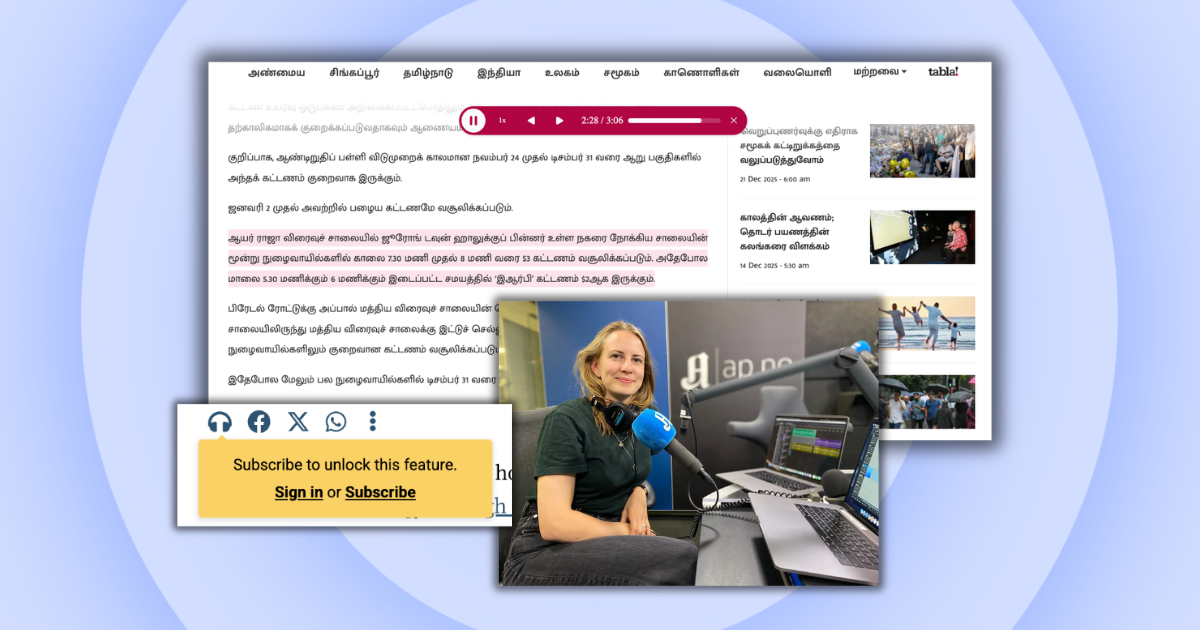
For example, SPH Media syncs playback with on-site navigation. As one audio ends, the page automatically scrolls to the next article and the corresponding audio starts playing. If users scroll manually, audio updates to match the article in view.
2. Let users build custom audio queues
Automatic queueing works well for low-effort listening, but you should also let users build their own audio queues to support more intentional listening habits.
This is a tactic The Week employs on its app:
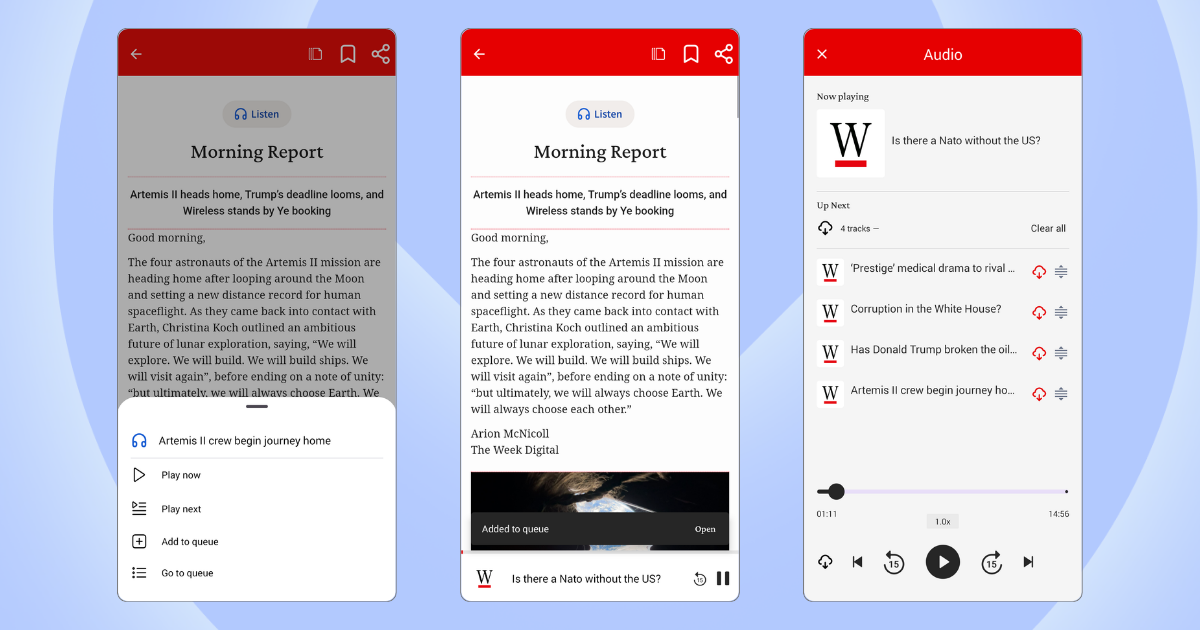
People who come across articles they’re interested in but don’t have time to read or listen straight away can save them for later, so that intent isn’t lost.
Users can also prepare playlists for specific parts of their day, like commutes or workouts, choosing exactly what to listen to and how long for. When they can plan ahead, they may be more likely to spend that time with your content.
An “add to queue” feature also lets active listeners extend sessions on their own terms. This encourages them to explore your website or app and find more content they’re interested in.
When users curate their own queues, they’re more invested in the experience. So, this functionality can play an important role in driving engagement, loyalty, and repeat consumption.
3. Provide editor-curated playlists
Editor-curated playlists give listeners a sense of control without the effort, letting them delve into topics they care about without having to pick each article individually.
Curated playlists also frame audio as a more substantial experience—something to settle into and stay with. Which can encourage users to commit to longer sessions from the outset.
Publishers like Bulletin and The Washington Post group articles into topical playlists, while Stylist highlights “editor’s picks” to entice listeners and readers alike:
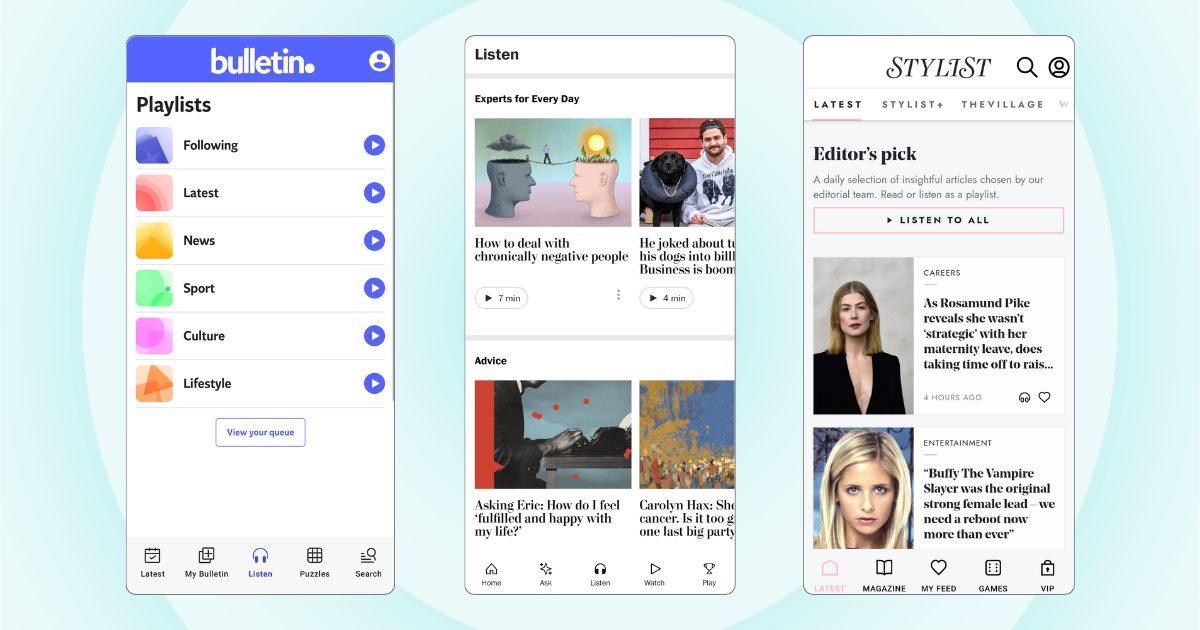
Many publishers place playlists in a dedicated section of their website or app, increasing the visibility of audio. Instead of being tied to individual articles, audio becomes a destination in its own right, encouraging more users to start listening in the first place.
4. Make audio work with device controls
Make sure your audio registers with the user’s mobile operating system as a proper media source, so it works with native device controls.
This allows playback to continue in the background as users switch apps, browse other webpages, or lock their device, so they can step away from their screen or multitask.
Device integration also lets users control playback through the methods they already rely on—on the lock screen, in the notification panel, on car dashboards, and through headphone buttons—so they can pause, skip, or rewind without returning to the original page.
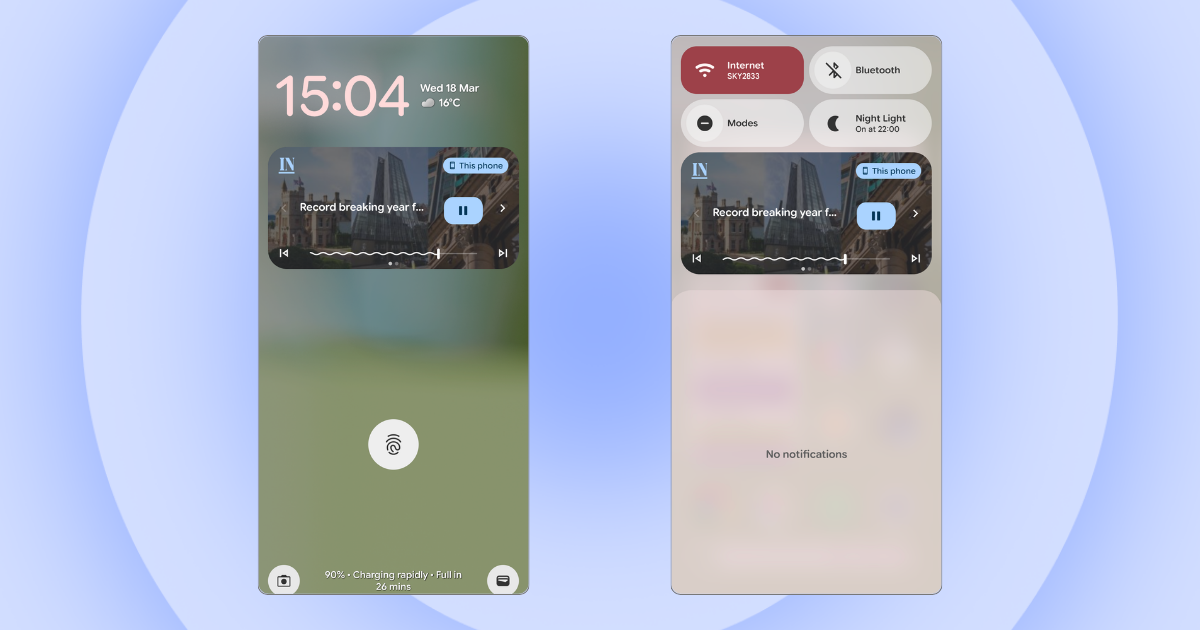
All of this makes audio more intuitive and convenient to engage with, so it fits more naturally into users’ daily lives and existing audio habits.
In addition to supporting longer sessions, device integration can drive return visits. With paused audio visible in system controls, users are prompted to come back and continue listening.
5. Distribute audio via podcast feed
Distributing audio articles via podcast feed is an effective way to tap into existing listening habits.
On platforms like Spotify and Apple Podcasts, users actively seek out longer listens—and the experience is built to support that. Features like continuous playback, queueing, subscriptions, offline listening, and device integration make it easy to move from one story to the next.
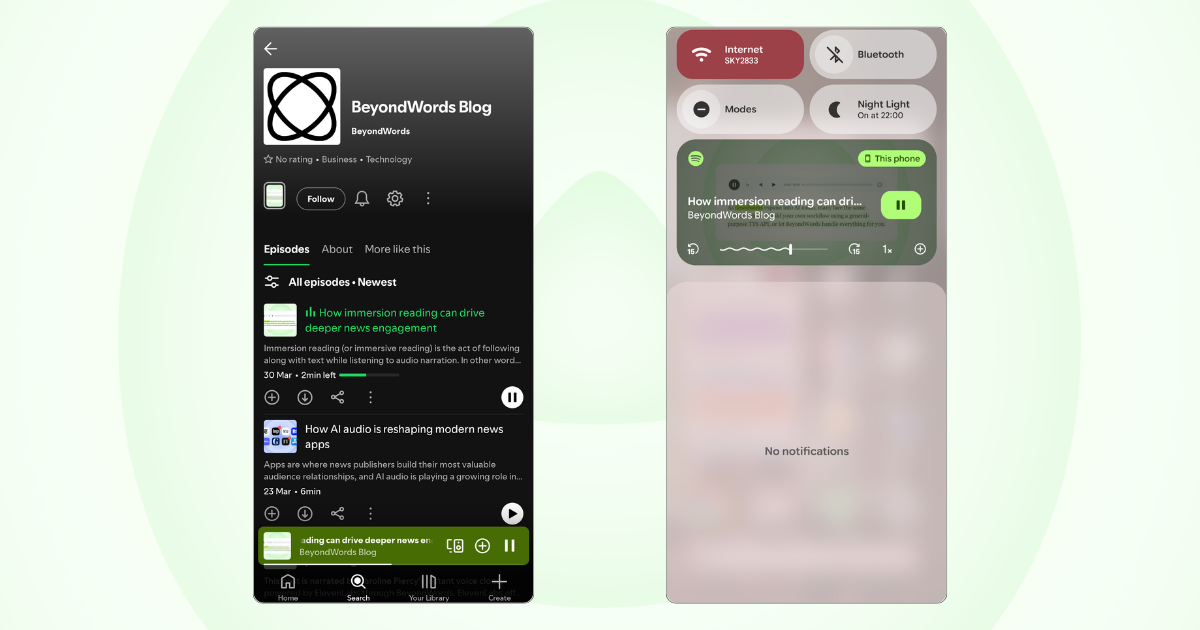
By publishing to these environments, you place your audio into routines that already exist. This adds convenience for your existing audience while helping you reach new listeners who may not have discovered your content elsewhere.
Podcast distribution also drives repeat engagement. Users can follow your feed to receive new episodes automatically, increasing the likelihood they return and continue listening over time.
The easy way to fuel continuous listening
BeyondWords gives you everything you need to engage audiences with continuous listening experiences.
Our platform automatically converts your published articles into high-quality audio, then distributes them exactly where you need them.
Embed audio directly into articles with built-in support for continuous playback, or package content into playlists for distribution across your website, app, and podcast platforms. You can also use our player SDKs to let users build their own playlists.
Book a demo to see how BeyondWords would work for your publication.